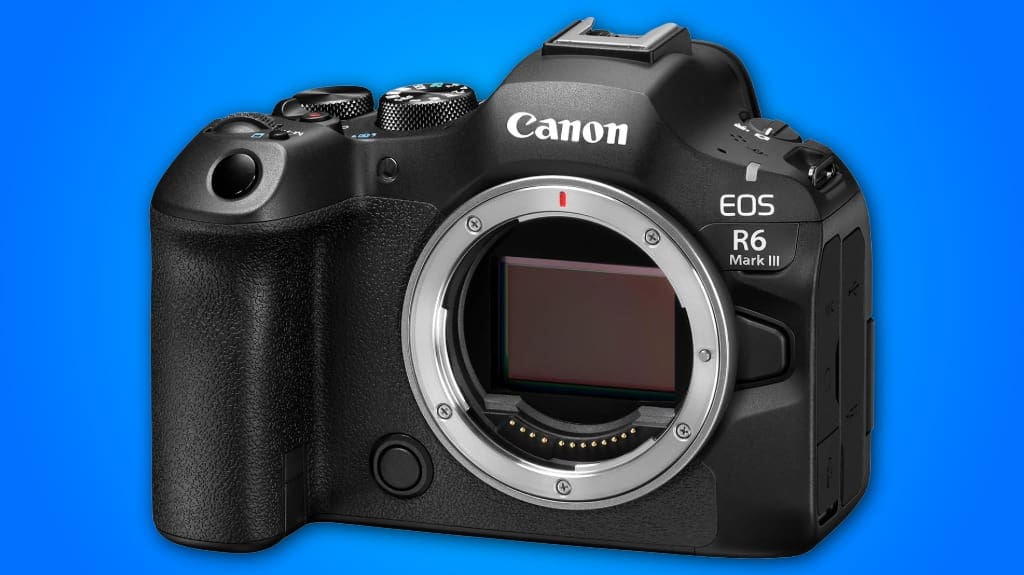
You’ll like the EOS R6 Mark III if you want a tough, compact body with a 32.5MP sensor that gives detailed RAW files for large prints, yet keeps files manageable. It shoots up to 40 fps with CFexpress cards, so use CFexpress for bursts and assign JPGs to SD for faster workflow. Low‑light color stays accurate around ISO 1600–6400, and the magnesium alloy, weather‑sealed chassis handles field use—keep seals clean after salty shoots. Keep going to learn setup and workflow tips.
Some Key Points
- 32.5MP full-frame sensor delivers high-resolution files suitable for large prints and detailed edits.
- Up to 40 fps burst with pre-buffering (20 frames) and CFexpress support for extended action shooting.
- Excellent low-light performance with optimal ISO range 1600–6400 and accurate color rendering.
- Robust magnesium-alloy, weather-sealed body for durable handheld use, not rated for full submersion.
- Dual-slot storage workflow: CFexpress for RAW/high-speed bursts, SD for routine JPEGs and instant redundancy.
32.5mp Sensor Highlight
Think of the 32.5MP sensor as the R6 Mark III’s core: it gives you plenty of resolution for large prints, cropping, and detailed edits without becoming a workflow burden. You’ll notice sensor performance that balances fine detail with manageable file sizes, so you can shoot at higher ISOs without panic. Use RAW for landscapes to exploit dynamic range, and crop confidently for tight compositions. For action, keep JPEGs for fast delivery, but switch to RAW when you need recoverable highlights and shadows. Calibrate lenses, enable in-camera corrections, and test exposure bracketing to learn limits fast.
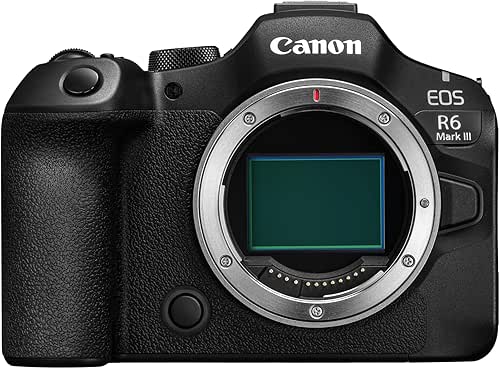
40-Fps Burst Handling
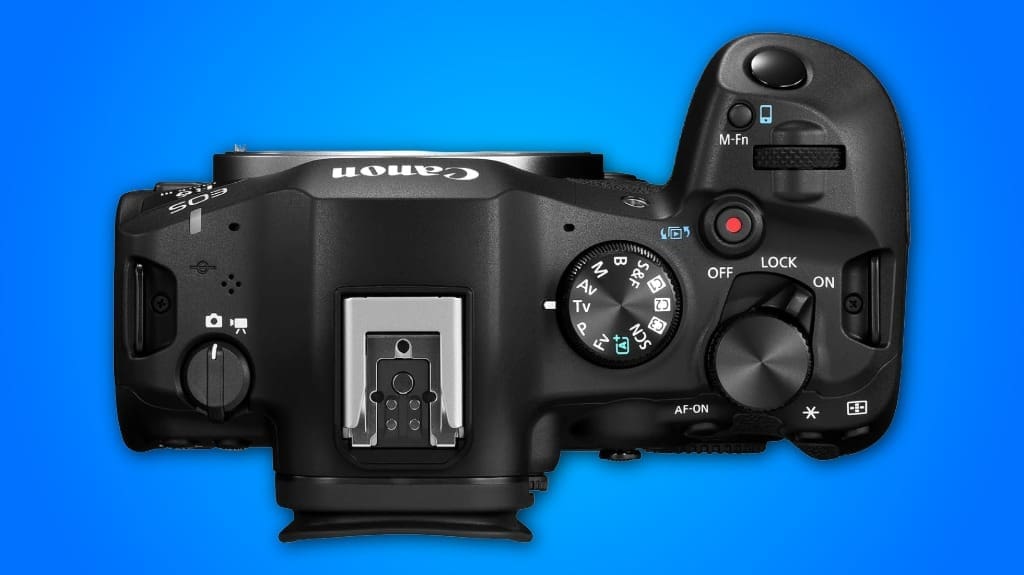
The R6 Mark III's burst handling is built for action: you can shoot up to 40 fps, and the camera gives you 20 frames of pre-continuous buffering so you rarely miss the decisive moment. You’ll notice excellent burst performance when you pair fast CFexpress cards with high-speed lenses; set shutter priority and a high shutter to freeze motion. Use continuous shooting AF to keep subjects locked, and enable Register People Priority for portraits in motion. Watch buffer fill rates on the SD slot — switch to CFexpress for long runs. Practice framing in advance, and let the camera capture the critical split second.
Low-Light Color Fidelity
When you push the EOS R6 Mark III into dim scenes, you'll see its color rendering stay surprisingly true, thanks to the 32.5MP sensor and DIGIC X processor working together to preserve hue and reduce banding; set ISO carefully and you'll keep skin tones and warm lighting accurate. You’ll get strong low light performance when you dial ISO to 1600–6400, use prime lenses with wide apertures, and enable IBIS for steadier exposures. Shoot RAW for best color accuracy and recover highlights, and nudge White Balance toward Kelvin for mixed lighting. Test in-camera Auto Lighting Optimizer off for cleaner tones.
Magnesium Alloy Weather-Sealed Chassis
Magnesium-alloy body gives the R6 Mark III a solid, work-ready feel that’s lighter than you’d expect, so you can shoot all day without tiring your shoulder; it’s also rigid enough to resist flex when you hand-hold long lenses. You’ll notice tight seams and reinforced mounts, durability features that matter when you change heavy glass in the field. Weather-sealing around buttons, dials, and card doors provides environmental resistance for rain, dust, and grit, but don’t treat it as submersion-proof. Wipe seals after salty shoots, keep ports closed during lens swaps, and use a rain cover in heavy storms to protect electronics and finishes.
Pros & Cons
That solid, weather-sealed body gives you confidence in rough conditions, but let’s look at what you’ll actually gain and where you might compromise. You’ll get excellent image quality from the 32.5MP sensor and DIGIC X processor, sharp files for prints and tight crops. The Dual Pixel CMOS AF II delivers fast autofocus performance for people, animals, and vehicles, so you’ll nail shots more often. Expect strong IBIS up to 8.5 stops for handheld low light. Downsides: dual-slot complexity and CFexpress cost, plus a pricier grip and accessories. If you value speed and reliability, it’s worth it.
Use CFexpress for Backups
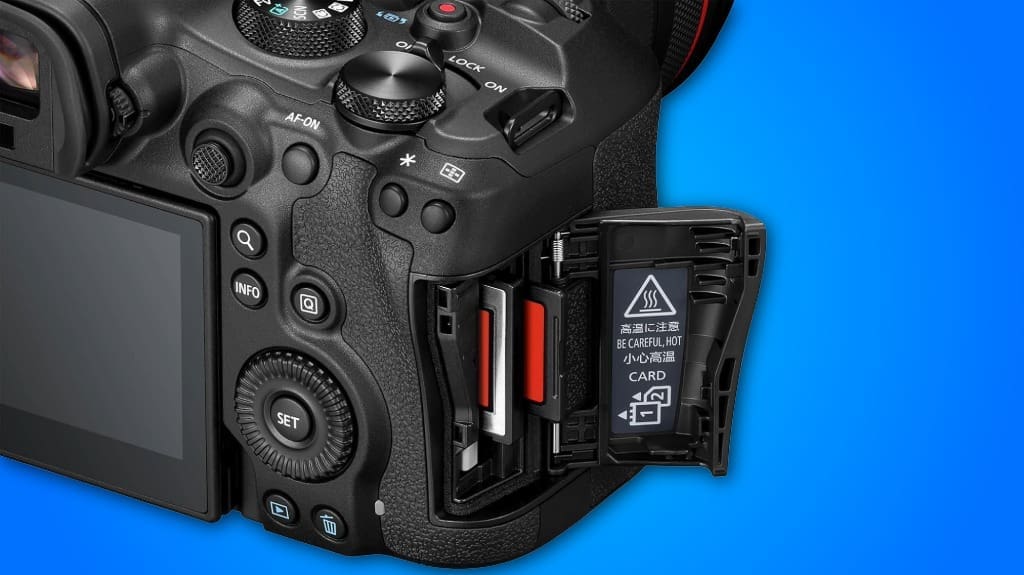
A smart move is to use the CFexpress slot as your primary backup when shooting with the R6 Mark III, because it gives you the fastest write speeds and the most reliable file protection for high-frame-rate bursts and large RAW files. Use CFexpress benefits by assigning RAW or high-speed bursts to CFexpress and routine JPGs to the UHS II SD slot. That gives you instant redundancy without slowing continuous shooting up to 40 fps. Carry two CFexpress cards, label them, and swap after each session. For storage reliability, offload to a desktop reader and verify checksums before formatting the cards.

Does It Support 4k/60p Video With Full Sensor Readout?
Yes — you can record 4K/60p with full sensor readout, and you’ll notice strong video quality and sensor performance that keep detail and reduce rolling shutter. Use the DIGIC X processor settings, pick 4K/60p in the menu, and choose C-log or a flat picture profile for grading. Stabilize with IBIS or lenses, record to CFexpress for sustained rates, and monitor heat on long takes.
How Long Does the Battery Last in Continuous High-Speed Shooting?
You’ll get roughly 300–400 continuous high-speed shots per battery charge in aggressive shooting modes, depending on settings and buffer use. To maximize battery performance, use single AF or lower frame rates when possible, disable unnecessary wireless radios, and carry a charged spare NP‑battery or USB-C power bank for long sessions. Swap cards quickly after heavy bursts, and warm the battery if cold to keep capacity near peak.
Can the IBIS Be Disabled for Gimbal Use?
Yes — you can disable IBIS for gimbal compatibility. Go to Stabilization Settings, set In-Body IS to Off, and enable any sensor-shift auto modes only when handheld. If your gimbal supports camera-control, turn Camera IS off to avoid fight between systems, then balance and tune the gimbal’s motors. Test with horizon and tilt moves, and use a small damping setting on the gimbal if you see micro-corrections, that fixes jitter quickly.
Is There In-Camera JPEG Color Grading or Picture Styles?
Yes — you get in-camera editing and a range of color profiles. You can apply Canon picture styles, tweak contrast, saturation, and color tone, and save custom profiles. Use the menu to pick a profile, adjust parameters, then write it to a custom user preset. For quick grading, batch-apply a profile to JPEGs in-camera. For deeper work, shoot RAW and apply these in-camera presets as starting points on your editing computer.
Does It Support Wireless Tethering to Mobile Devices?
Yes, it supports wireless tethering to mobile devices, using built‑in wireless connectivity and Bluetooth. You’ll pair the camera with Canon’s Camera Connect app, enable Wi‑Fi on the camera, then select your phone from the menu. You can transfer JPEGs, remote‑shoot with live view, and adjust settings. For reliable speed, use a strong Wi‑Fi hotspot, keep firmware and app updated, and prefer proximity under 10 meters for stable mobile compatibility.